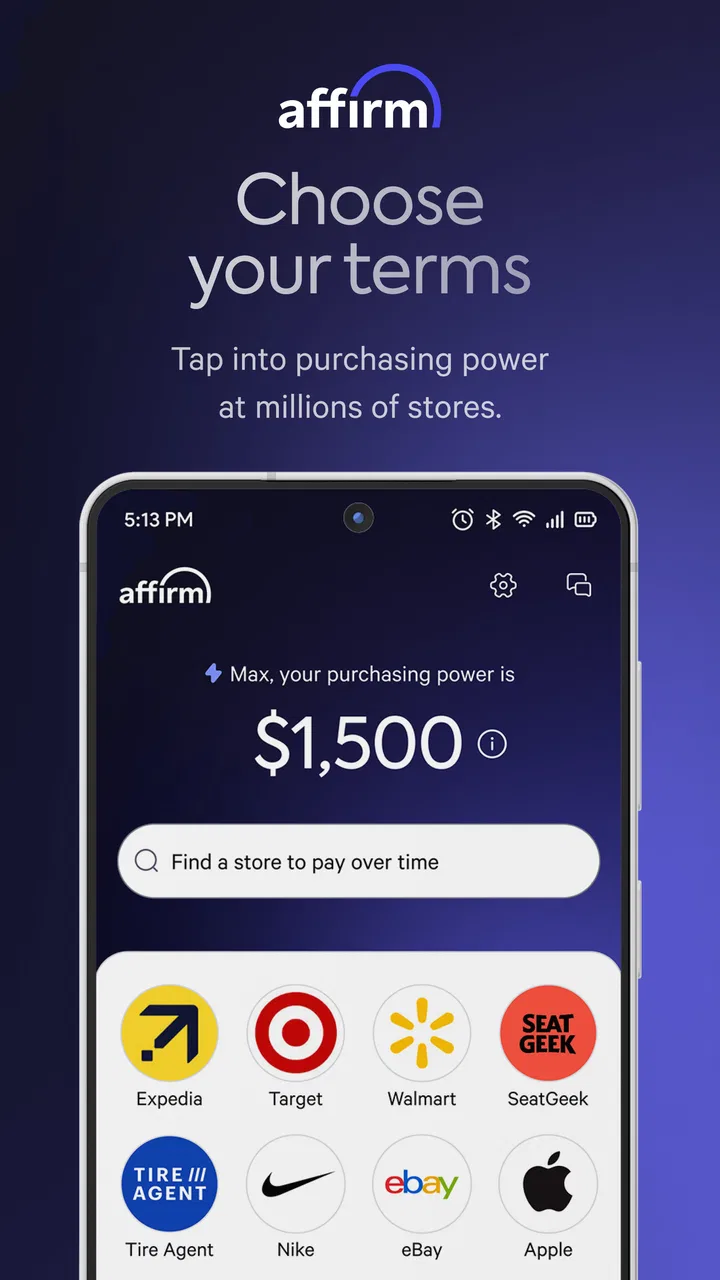
Affirm: Buy now, pay over time
- 4.8
- Rating
- 10.00M
- Installs
- Free
- Price

 Analysis by App-foxy
I find Affirm most useful when I treat it as a planning tool for a purchase rather than as a magic discount button. The app comes from Affirm, Inc and sits in the shopping category, with a clear focus on spreading eligible purchases over time. It is free to install, rated for Everyone, and available on Android devices running version 7.0 or later. In everyday use, its value depends less on browsing and more on whether the payment option shown for a particular purchase fits my budget and the terms I am comfortable accepting.
That distinction matters. A pay-over-time option can make a large expense easier to organize, but it does not make the expense smaller. I would recommend approaching the app with the same care I use for any credit-related decision: check the total repayment amount, understand the schedule before confirming, and avoid using it simply to justify something I could not reasonably afford. When used deliberately, it can be convenient. When used impulsively, the smooth checkout experience can hide the fact that several future payments are being created.
Where the experience usually gets stuck
The first point of friction is often not the app itself but the transition between shopping and financing. I might begin with a retailer, select Affirm at checkout, and then move into a separate approval or payment flow. If the handoff does not behave as expected, it is easy to assume the app is broken when the issue may be the retailer’s checkout session, an expired page, or a mismatch between the item and the available payment option.
You May Also Like

 Blood Strike: 2.5 Anniversary
Blood Strike’s Loadouts Turn Every Drop Into a Tactical Gamble
A close look at Blood Strike’s custom loadouts: how fast access to signature weapons reshapes its battle royale rhythm, rewards preparation, and narrows the gap between fights.

 Pandora - Music & Podcasts
Pandora’s Music Is Easy to Start, but Harder to Recover
Pandora’s strength is its low-effort path from a seed to a station. Its weak spot is how much confidence it asks you to place in connection, setup, and quiet recovery.

 8 Ball Pool
 Is Built on Rivalries, Rematches, and Routine
A close look at the rivalries, rematches, shared routines, and unanswered safety questions that turn a quick pool match into a persistent mobile community.

 Samsung Music
’s Quiet Strength Is Playing What You Already Own
Its reach comes less from spectacle than from dependable access to a personal library. That simplicity is both the app’s strongest retention engine and its ceiling.

 AccuWeather: Weather Radar
AccuWeather Review: A Quick, Clear Forecast for Everyday Decisions
For everyday plans, the best forecast is the one you can understand quickly. AccuWeather makes rain timing, radar, and local conditions easy to act on, with a few trade-offs.

 Hill Climb Racing
Why Hill Climb Racing Still Turns Crashes Into One More Run
A tiny car, a bumpy hill and one more upgrade: Hill Climb Racing keeps resurfacing because its simple chaos makes every near-miss feel personal.
More From Our News Desk
View All News


I also pay close attention to the wording presented before accepting anything. “Pay over time” can refer to different schedules, and the option displayed for one purchase may not be identical to the option displayed for another. The important screen is the one showing the actual arrangement for the transaction in front of me. I would not rely on a general impression from a previous purchase or on a promotional message seen elsewhere.
Another common stumbling block is expecting every retailer or every item to behave the same way. Affirm is not a universal replacement for a debit card, a traditional credit card, or a retailer’s own financing. Availability can depend on the purchase flow and the details of the transaction. If the option is missing, I first return to the retailer’s payment choices and confirm that I am using the intended account and checkout route instead of repeatedly tapping through the app.
Login and verification can also slow things down. I make sure the contact details I enter are consistent with the account I am trying to use, and I avoid switching between several checkout tabs while a verification step is active. A fresh, single session is easier to troubleshoot than multiple abandoned attempts. If a code or confirmation does not arrive, I check the basic delivery details and wait briefly before requesting another one, since repeated requests can make it harder to tell which message is current.
For me, the most important habit is to separate three questions: can I access the app, can I see the purchase option, and can I complete the payment arrangement? Those are different problems. Treating them as one vague failure usually leads to unnecessary reinstalling or repeated checkout attempts.
What I check before blaming the app
I start with the simplest checks. The device should meet the minimum operating-system requirement, the app should be updated to its current version, and the internet connection should be stable enough to load account and checkout screens. The current version is 3.402.1, and keeping the installed version current is sensible because shopping and payment flows can be sensitive to compatibility changes.
I then close duplicate checkout pages and reopen the transaction from the retailer’s normal route. If I am using a browser, I avoid jumping between an in-app page, a browser tab, and an email link at the same time. That sounds minor, but it prevents me from approving one session while looking at a different one. I also check that the device’s date and time are set automatically, since an incorrect clock can interfere with time-sensitive verification.
Before starting again, I write down what I am trying to buy and the amount I expect to see. This gives me a useful reference if the final screen looks different. I do not continue just because the first screen loads; I compare the purchase amount, payment timing, and total repayment information shown for that specific transaction. The safest setup check is the final review screen, not the first promotional message.
Account details deserve the same care. I use one consistent email address and phone number, make sure there are no accidental spaces in typed information, and avoid using someone else’s details to get past a verification problem. If the app requests information I am not prepared to provide, I stop and review the process rather than improvising. A financing application is not the place to guess.
It is also worth checking the practical side of the purchase. I confirm the retailer, the delivery destination, and the item total before accepting a plan. If shipping, taxes, or optional additions change the amount, I want those changes visible before I commit. A payment schedule that looked manageable before the cart was finalized may need another look after the total changes.
Recovering a stalled purchase without making it worse
When a checkout freezes, I take a short, orderly route instead of pressing the payment button repeatedly. First I note whether the purchase appears to have been submitted, whether I received a confirmation, and whether the retailer’s cart still contains the item. Then I close the stalled screen and check the account activity through the normal app interface. The goal is to determine whether I have an unfinished attempt or a completed arrangement before starting another one.
If the app opens but a page does not load, I force-close it once, reopen it, and try again on a reliable connection. I avoid clearing everything immediately because that can remove useful session information and make the next login harder. Reinstalling is a later step, not my first response. If I do reinstall, I make sure I know the correct account details beforehand and understand that reinstalling will not solve a retailer-side or account-side issue.
A useful recovery technique is to simplify the purchase. I remove optional cart items, return to the retailer’s payment page, and try to reach the same financing choice with a clean cart. This can reveal whether the trouble is tied to one item or to the whole account. I do not interpret a successful smaller test as permission to proceed with the original purchase without reviewing its terms again; it only helps isolate the source of the problem.
If a payment arrangement seems to have been created but the retailer order is unclear, I do not immediately place a second order. I first look for confirmation in both places: the retailer’s order area and the Affirm account area. If the two sides do not match, I keep screenshots or notes of the visible status and use the relevant support route. That record is more useful than repeatedly attempting checkout and creating several confusing entries.
For a scheduled payment that I do not recognize, I treat it as an account-security concern rather than a normal app glitch. I review the transaction details, secure the account through the available account controls, and contact support through official channels. I would never share a verification code with someone claiming to be support, and I would not follow an unexpected message asking me to move the conversation elsewhere.
When the app is not the cause
Some problems originate with the retailer. A store may change its cart, remove an item, interrupt inventory, or fail to return the checkout session correctly. In that situation, the financing app can appear to be the part that failed simply because it is the last screen I saw. Checking the retailer’s order status and cart separately helps distinguish a payment issue from an order issue.
Other failures are ordinary network or device problems. A weak connection can leave a page half-loaded, while aggressive battery or data restrictions can interrupt an app during a transition. I test the connection with another ordinary app, switch between Wi-Fi and mobile data when appropriate, and restart the device if several unrelated apps are behaving strangely. These steps are basic, but they prevent me from making account changes for a problem that is really local to the phone.
There is also a difference between a technical error and an unavailable payment option. If the app works normally but a particular transaction does not show the expected plan, I do not keep refreshing in the hope of forcing it to appear. The available choice is part of the transaction flow, and the right response is to review the displayed terms or choose another payment method. A different card, direct payment, or saving until the purchase is affordable may be better than trying to work around an unavailable option.
That is where Affirm differs from a traditional credit card. A card is usually a general-purpose payment instrument that I can use across many merchants, while Affirm is encountered through supported purchase flows and presents a specific arrangement for that transaction. Compared with a retailer’s own installment plan, it may offer a more recognizable account experience across participating purchases, but the practical comparison still comes down to the exact total cost, schedule, and convenience shown at checkout.
Compared with paying directly from a bank account, the app adds flexibility but also adds future obligations. Direct payment is simpler when I already have the money and want the purchase settled immediately. A normal credit card may be more convenient for repeat spending or broader acceptance, especially for someone who already manages a card carefully. I see Affirm as most compelling when the purchase is planned, the schedule is clear, and the added flexibility solves a genuine timing problem rather than encouraging extra spending.
Everyday situations where it can make sense
Imagine I need to replace a necessary household item after an unexpected failure, but my next paycheck is close and the full purchase would disrupt this week’s budget. I could use the app to inspect the payment arrangement, compare the total repayment with the direct price, and decide whether the scheduled payments fit comfortably alongside rent, utilities, food, and existing commitments. The useful part is not simply getting the item today; it is seeing the obligation clearly enough to decide without guessing.
A second sensible use is a planned purchase where I have already saved most of the amount and want to preserve a cash buffer. In that case, I would still keep the remaining payments in my budget and avoid treating the untouched savings as permission to add more items. The app can help organize the timing, but it cannot replace a spending plan.
I would be much more cautious with recurring lifestyle purchases, impulse shopping, or several separate plans at once. Small scheduled amounts can look harmless individually while becoming difficult together. Before accepting a new arrangement, I would list the payment dates and totals for every existing obligation. If I cannot explain the combined monthly impact in one sentence, I am not ready to add another purchase.
The app is also a poor fit for someone who wants one universal payment method with no merchant-specific decisions. In that case, a debit card or carefully managed traditional card may be less confusing. It is not ideal for a buyer who dislikes checking terms, who frequently forgets scheduled payments, or who is using installments to buy things that are not affordable even after spreading the cost.
What the numbers suggest, and what they do not
Affirm has a 4.8 average from around 561 thousand ratings, and it has passed 10 million installs. That level of adoption tells me the app has become familiar to a large number of shoppers, but popularity is not a substitute for checking a specific payment arrangement. A highly rated interface can still be the wrong financial tool for an individual purchase.
The app’s free price removes an obvious barrier to trying it, and its Everyone age classification makes the presentation approachable. Still, an accessible interface should not be confused with a risk-free decision. The actual responsibility begins when I accept a schedule, because the future payments matter long after the initial checkout screen disappears.
I also like that the product is focused rather than pretending to be a complete personal-finance system. I would not use it as my only budgeting method. I keep the purchase plan alongside my normal budget, calendar, or banking routine so the obligation remains visible. This is one of the less obvious workflow improvements: the app can handle the transaction, but my own system should handle the broader question of whether the transaction belongs in my life.
My practical verdict
After using Affirm as a shopping and payment-planning tool, I see its strongest quality in the clarity it can bring to a purchase that would otherwise feel financially awkward. The app is free, the interface is approachable, and the large user base suggests it has earned a place in many shopping routines. I would recommend it to a careful buyer who wants to examine a specific pay-over-time option and is willing to compare the total cost before accepting.
I would not recommend opening it with the vague goal of finding something to buy. I would also skip it when direct payment is already comfortable, when another option has a clearly better total cost, or when existing obligations make another scheduled payment stressful. The most important comparison is not between apps; it is between the complete cost and timing of each available way to pay.
If you run into trouble, start with the retailer route, account consistency, device compatibility, connection, and transaction status. Recover one session at a time, avoid duplicate submissions, and treat unfamiliar activity as a security matter. Those habits address the most common friction without inventing complicated fixes.
My final view is positive but measured: Affirm works best as a deliberate checkout choice, not as a reason to stretch a budget. With that mindset, it can make planned purchases easier to organize. Without it, the convenience of installments can become the very thing that makes spending harder to see.
It was released on June 20, 2016, and the current version is 3.402.1. I would keep it updated, review every arrangement on its own terms, and use the app only when the payment schedule remains comfortable even after I account for everything else I already owe.
FAQs for Affirm: Buy now, pay over time
01What is Affirm and how does it work?
Affirm is a financial service app that allows you to purchase items immediately and pay for them over time. It offers a buy-now, pay-later solution, splitting the total cost into manageable monthly payments without any hidden fees. You can shop at participating stores and choose Affirm at checkout to set up your payment plan.
02Are there any interest rates or fees associated with Affirm?
Affirm charges interest rates that vary depending on the merchant and your creditworthiness, typically ranging from 0% to 30% APR. There are no hidden fees, and Affirm clearly displays any interest charges before you agree to a loan. It’s important to review these details carefully during the checkout process.
03How does Affirm impact my credit score?
Using Affirm may impact your credit score. When you first apply, Affirm performs a soft credit check, which doesn't affect your score. However, late payments or defaulting on a loan can negatively affect your credit. Timely payments can help build a positive credit history, making it crucial to pay on time.
04What are the eligibility requirements to use Affirm?
To use Affirm, you must be at least 18 years old and a resident of the United States. You’ll need to provide a valid U.S. mobile number and email address. Approval is subject to a soft credit check, assessing factors like credit score, payment history, and the merchant’s policies. Approval isn’t guaranteed for everyone.
05Is Affirm safe and secure to use for online purchases?
Affirm prioritizes user security, using encryption and data protection measures to safeguard your information. The app does not share your full credit card details with merchants, adding an extra layer of security. Always ensure you’re using a secure internet connection when making payments or accessing your account.
Pros
- Flexible payment options for various budgets.
- User-friendly interface with intuitive navigation.
- No hidden fees or confusing terms.
- Quick approval process for purchases.
- Wide range of partner stores available.
Cons
- Limited to participating retailers only.
- High interest rates may apply for some users.
- Requires a credit check for approval.
- Not available outside the U.S.
- No rewards or cashback incentives.

Affirm: Buy now, pay over time
Gallery